Loading…
Contact Us
Get a free consultation!
Contact Us
Get a free consultation!
Recipe Social is a smart digital cookbook that lets you import, clean, and organize recipes from social media, websites, screenshots, and text, all in one place.


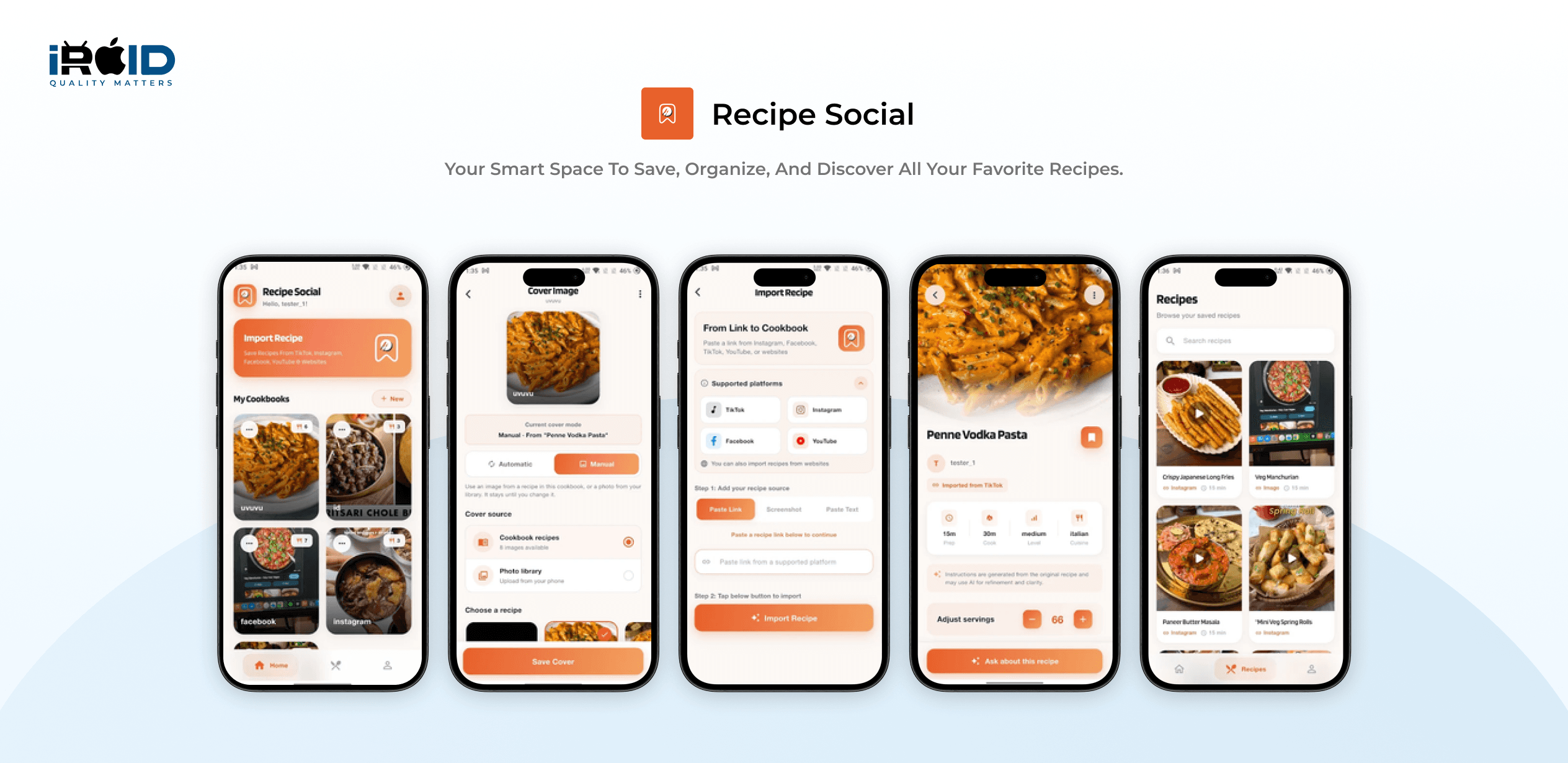
Recipe Social is a cross‑platform recipe app built for today’s “scroll and save” cooking culture, where great recipes are scattered across TikTok, Instagram, blogs, screenshots, and random links.
The client partnered with iRoid Solutions to build a Flutter app backed by Supabase that turns messy online recipe content into a structured, searchable, and fully editable personal cookbook, complete with AI‑assisted parsing, scaling, and custom collections.
Tools

Xcode

Android studio

VS code

Git
Cloud/Server

GoDaddy

Apache
Database

MySQL
Front-end

HTML5

CSS3

JavaScript

jquery
Mobile

Flutter

Dart

Flutter
1 Member

QA
1 Member

UI/UX
1 Member

Project Manager
1 Member
Most home cooks today don’t discover recipes in cookbooks, they find them in reels, stories, posts, and long blog pages. The problem is that those recipes are hard to cook from and even harder to find later. Recipe Social was created to solve this by acting as a central “inbox” for everything food‑related a user discovers online.
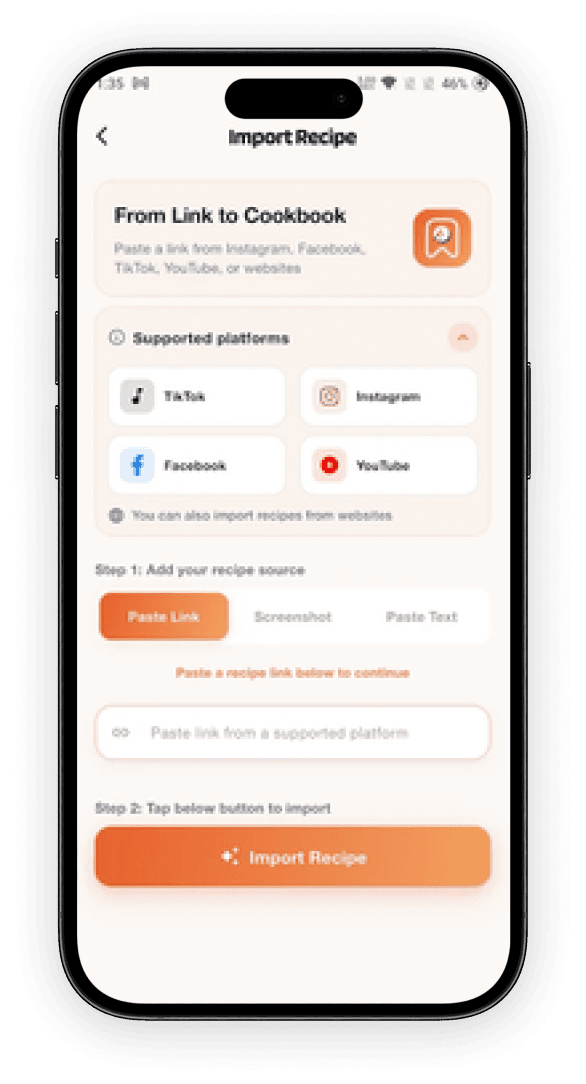
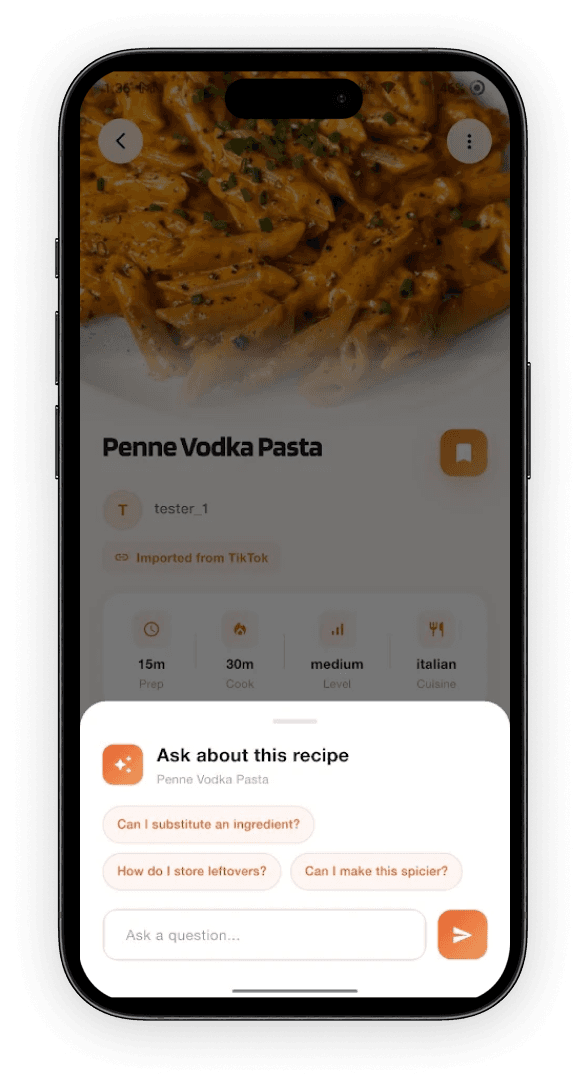
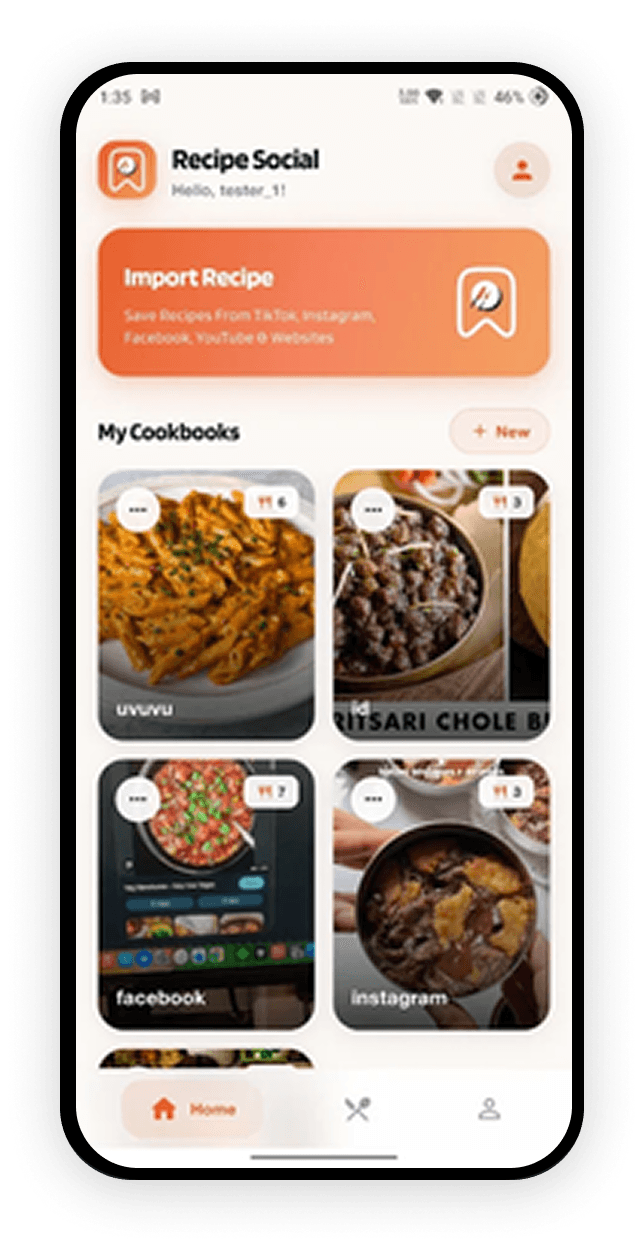
Inside the app, users can paste a link, upload a screenshot, or paste raw text from any recipe they come across. Recipe Social then uses AI‑assisted parsing to extract the title, ingredients, and step‑by‑step instructions into a clean format that’s actually usable in the kitchen. From there, users can edit the recipe, tag it into custom cookbooks (for example: “Weeknight Dinners”, “Meal Prep”, “Desserts”), and quickly search their growing library whenever they need inspiration.
The product is built in Flutter, so the same codebase serves both Android and iOS, while Supabase provides authentication, database storage, and media handling. This combination allowed the team to move quickly while still giving the client a solid, scalable foundation for future community features if they decide to add sharing later.
The primary business goal for Recipe Social was to move recipe discovery and cooking from a chaotic, screenshot‑heavy experience into a calm, organised digital cookbook that users actually rely on every week.
By focusing on import and organisation rather than social “likes” or public feeds, the app positions itself as a utility for serious home cooks, meal‑preppers, and food lovers who want control over their saved recipes and don’t want to lose them in an endless scroll again.
At a product level, the goal was also to validate a focused, subscription‑friendly niche: a privacy‑respecting, personal recipe hub that can later support premium features like extra AI tools, more storage, or advanced cookbooks, without needing to become a noisy social network.
Users can import recipes from links, screenshots, and plain text, turning content from social media, blogs, and websites into structured entries in seconds.
The app helps extract titles, ingredient lists, and step‑by‑step instructions automatically, so users spend less time copying and formatting, and more time cooking.
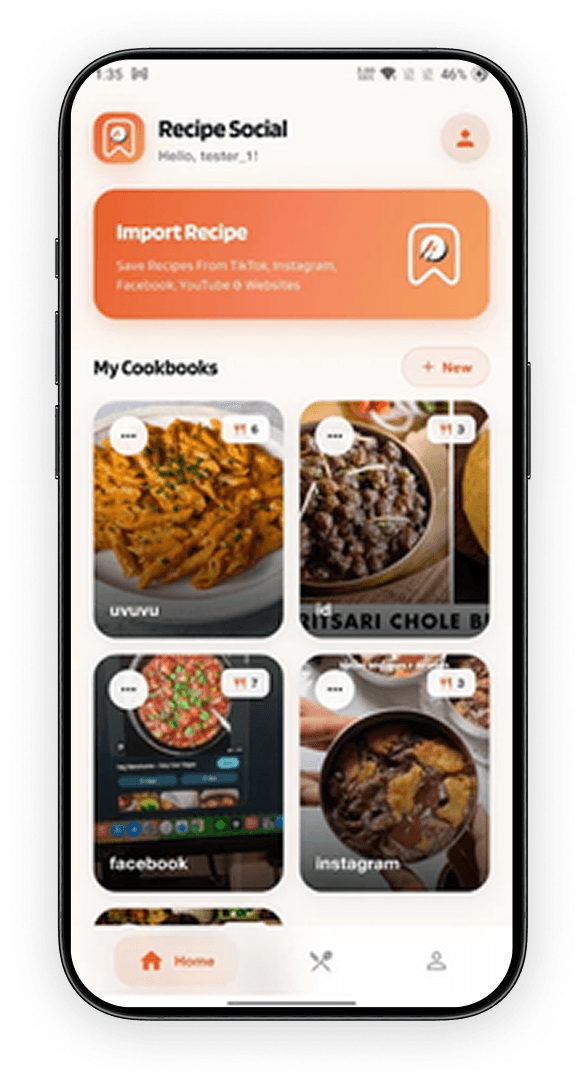
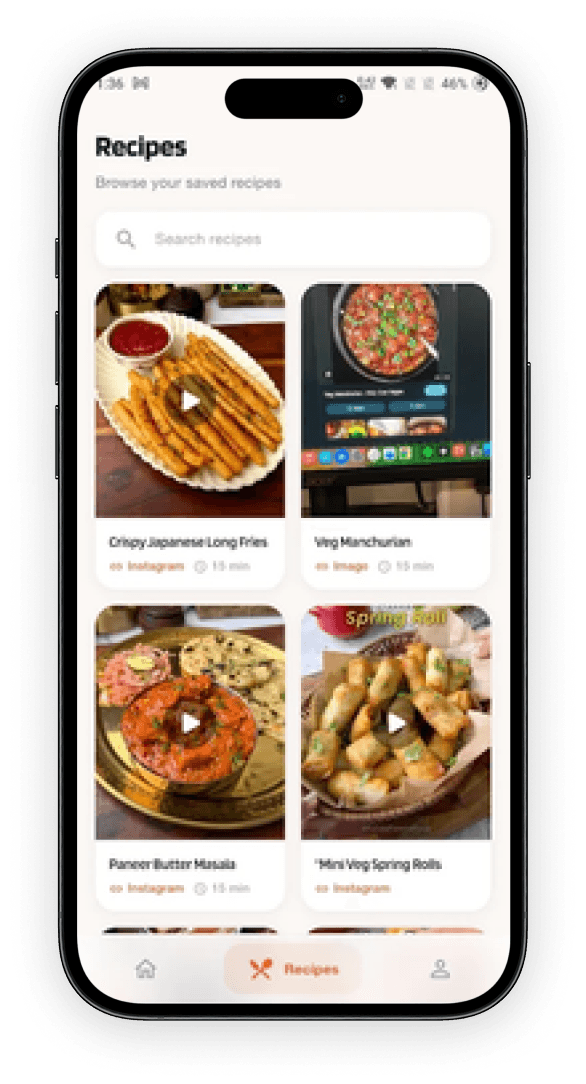
Recipes can be grouped into personal cookbooks (e.g., “Family Favourites”, “High‑Protein”, “Festive”) and tagged by category for faster discovery.
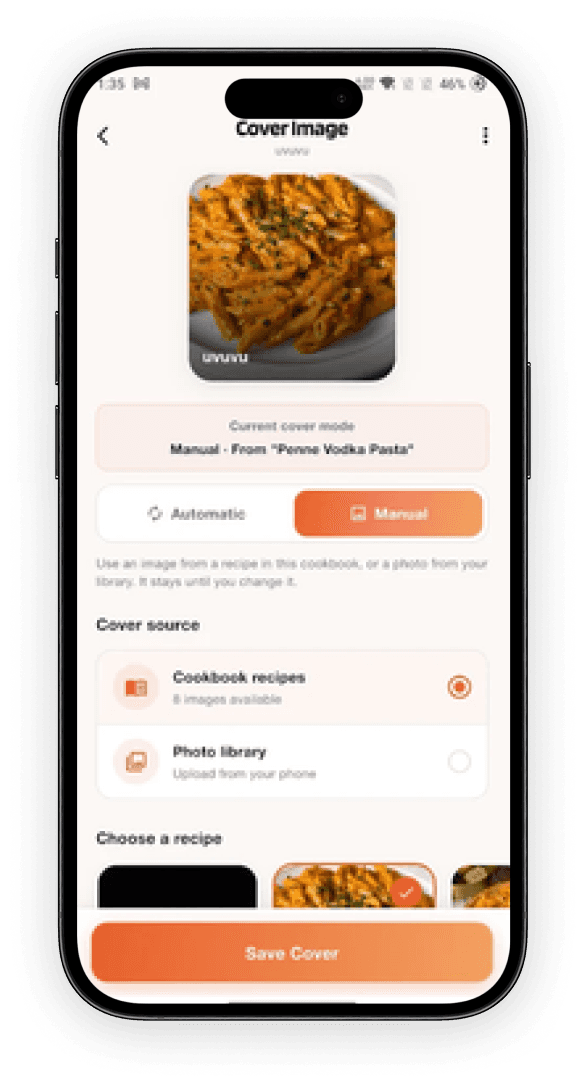
After import, every field is editable; users can tweak ingredients, clarify steps, add notes, or adapt recipes to their taste and dietary needs.
Built‑in scaling makes it easy to adjust servings up or down, so cooks can plan for solo meals, families, or gatherings without manually recalculating quantities.
Saved recipes are private to the user, making Recipe Social feel like a personal kitchen notebook rather than a public feed.
A clean search and filter experience helps users quickly find recipes by name, ingredient, or cookbook, reducing the classic “I know I saved that somewhere” frustration.
Flutter ensures consistent UI and performance across Android and iOS, while Supabase manages authentication, database storage, and backend logic with minimal overhead.

Challenges
Solutions
Recipes from reels, blogs, and screenshots vary a lot in structure and quality.
AI‑assisted parsing was combined with a clear editing UI so the app does as much automatic extraction as possible, but always lets the user review and refine before cooking.
Incorrect quantities or missing steps could directly impact cooking outcomes.
The app clearly communicates that imported recipes should be reviewed, and the editing flow is kept front‑and‑center, encouraging users to verify and adjust before they rely on a recipe.
Links, screenshots, and text each require different handling behind the scenes.
The UI groups all imports behind a single “Add recipe” entry point, then guides the user to choose link, screenshot, or text, while the backend handles each path appropriately.
Many cooking apps try to be social networks, which can distract from the core need: cooking from saved recipes.
Recipe Social intentionally centres on the user’s private cookbook, with no public feed or follower pressure, making it a tool for everyday cooking rather than content performance.
The founders wanted a strong single‑player product now, but didn’t want to block future sharing or collaboration.
The data model and Supabase backend were designed with recipe ownership, permissions, and potential sharing hooks in mind, so features like shared cookbooks or friend lists can be added later without rebuilding the core.
Have an app, web platform, AI solution, or custom software idea? Share it with us and get practical guidance from an experienced product development team.
Need a mobile app, web app, AI solution, or custom software?
Get a free consultation and discuss your project with our team.
Business



Passionate about mobile apps, websites, AI, and software development?
Join our growing team!
HR