




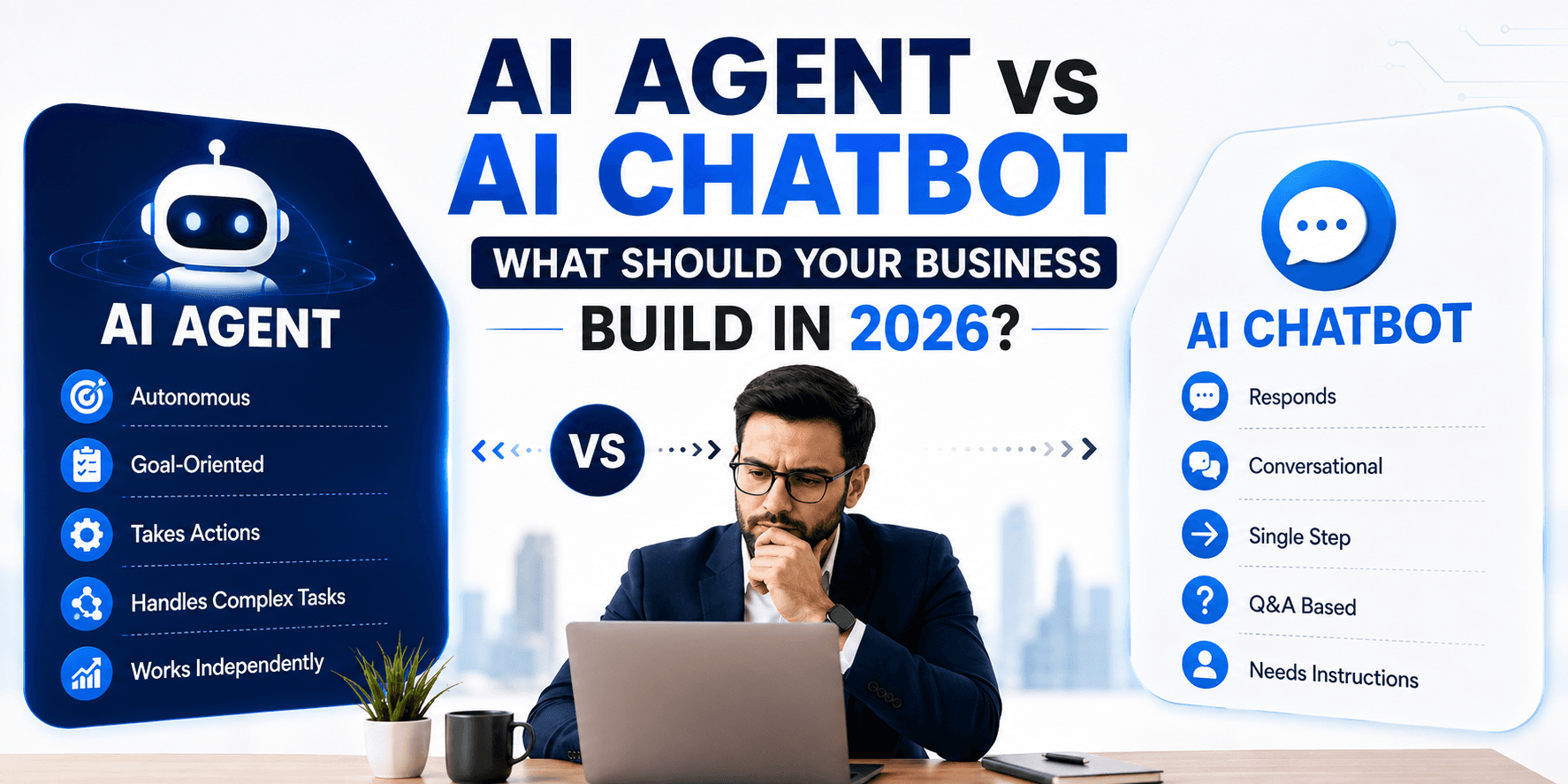
Businesses exploring conversational AI often face a practical decision: should they build an AI chatbot that answers questions, or an AI agent that can reason through tasks and complete workflows?
The answer depends on what your business needs the system to do. A chatbot is usually the better choice for FAQs, product information, basic support, and knowledge retrieval. An AI agent is more suitable when the system must use tools, access business applications, make decisions within defined limits, and complete multi-step processes.
An AI agent is not automatically better than an AI chatbot. For many use cases, a chatbot is faster to launch, less expensive, easier to test, and simpler to control. However, businesses with complex workflows may gain significantly more value from agentic AI and controlled automation.
The right decision depends on task complexity, integrations, autonomy, risk, usage volume, and expected ROI, not simply on which technology is newer.
AI Chatbot vs AI Agent: The Short Answer
|
Business need |
Better starting point |
|
Answer FAQs |
AI chatbot |
|
Provide product information |
AI chatbot |
|
Offer basic customer support |
AI chatbot |
|
Capture and qualify leads |
Chatbot or agent |
|
Book appointments |
AI agent |
|
Process refunds |
Controlled AI agent |
|
Update CRM records |
AI agent |
|
Handle multi-step workflows |
AI agent |
|
Coordinate several business systems |
AI agent |
|
Execute autonomous tasks |
AI agent within guardrails |
|
Make high-risk decisions |
Human + AI or controlled agent |
The practical distinction is simple:
Chatbots primarily communicate. AI agents can communicate, make bounded decisions, use tools, and execute workflows.
This is a useful architectural distinction rather than an absolute industry rule. A sophisticated chatbot can use an LLM, RAG, APIs, memory, and business rules without necessarily being an AI agent.
What Is an AI Chatbot?
Definition of an AI Chatbot
An AI chatbot is a conversational application designed to interact with users through natural language. It receives a message, interprets the user’s intent, retrieves relevant context when necessary, and generates a response.
Modern AI chatbots may use:
-
Large language models.
-
Retrieval-augmented generation, or RAG.
-
Business knowledge bases.
-
APIs and databases.
-
Conversation memory.
-
Structured outputs.
-
Business rules.
-
Human handoff workflows.
An application does not become an AI agent merely because it uses an LLM. OpenAI distinguishes simple chatbots and single-turn LLM applications from systems in which the model controls workflow execution and dynamically selects tools to complete tasks.
How AI Chatbots Work
A typical AI chatbot follows this flow:
User → Chat interface → AI model → Knowledge or context → Response → User
The process usually works as follows:
-
The user submits a question or request.
-
The application interprets the user’s intent.
-
The system retrieves relevant information from a knowledge base, database, or API.
-
The AI model generates a response based on the user’s message and available context.
-
The chatbot displays the answer or routes the conversation to a human.
For example, when a customer asks, “What is your refund policy?”, the chatbot may search the company’s policy documents and provide a concise answer.
Common AI Chatbot Use Cases
Customer service
-
Frequently asked questions.
-
Product and service information.
-
Order and shipping questions.
-
Basic troubleshooting.
-
Policy explanations.
-
Support-ticket routing.
Sales and marketing
-
Lead capture.
-
Qualification questions.
-
Product recommendations.
-
Pricing guidance.
-
Website assistance.
-
Campaign and landing-page support.
Internal business support
-
HR policy questions.
-
Employee knowledge bases.
-
IT support.
-
Internal documentation search.
-
Benefits and leave information.
Education
-
Student assistance.
-
Course questions.
-
Learning support.
-
Assignment guidance.
-
Administrative information.
An AI chatbot for business is often a strong first step because it can create value without requiring broad write access to internal systems.
What Is an AI Agent?
Definition of an AI Agent
An AI agent is an AI-powered system that pursues a goal by managing a workflow, making decisions within defined boundaries, and using tools or external systems to accomplish tasks.
OpenAI describes agents as systems that independently accomplish tasks on a user’s behalf. It identifies two central characteristics: the LLM manages workflow execution and decisions, while the system uses tools to gather information or take actions in external systems.
The core flow looks like this:
User goal → Agent → Understand → Plan → Select tool → Execute → Evaluate → Continue or complete
An agent may decide to:
-
Ask the user for missing information.
-
Search a database.
-
Call a CRM API.
-
Check inventory.
-
Create a support ticket.
-
Request human approval.
-
Retry a failed operation.
-
Escalate the task when it cannot proceed safely.
The exact capabilities depend on the organization’s tools, permissions, business rules, and safeguards.
How an AI Agent Works
Imagine a customer says:
“My order arrived damaged. Please process a replacement.”
A chatbot might explain the replacement policy and provide a link to begin the process.
An AI agent could potentially:
-
Identify the customer.
-
Retrieve the order.
-
Confirm the delivered product.
-
Check whether the order qualifies for replacement.
-
Review available inventory.
-
Create a replacement request.
-
Update the CRM or order-management system.
-
Notify the customer.
-
Escalate the request if approval is required.
This does not mean every AI agent can safely perform all these steps by default. Each action must be deliberately implemented, permissioned, tested, and monitored.
Core Components of an AI Agent
1. Language or reasoning model
The model interprets the request, evaluates context, selects the next step, and determines when the workflow is complete.
Different tasks may require different models. A simple classification or retrieval task may use a faster, lower-cost model, while an ambiguous approval decision may require a more capable model. OpenAI recommends establishing a performance baseline with capable models and then testing smaller models for cost and latency optimization.
2. Instructions
Instructions define:
-
The agent’s role.
-
Its objectives.
-
The workflow it should follow.
-
The actions it is allowed to take.
-
The situations where it must ask questions.
-
The conditions for escalation.
-
The information it must not disclose.
Clear instructions reduce ambiguity and make agent behaviour easier to evaluate.
3. Tools
Tools connect the agent to external systems. Examples include:
-
CRM platforms.
-
ERP systems.
-
Databases.
-
Calendars.
-
Payment systems.
-
Inventory systems.
-
Search services.
-
Email platforms.
-
Internal APIs.
-
Ticketing systems.
Tools may be used to retrieve information, perform actions, or coordinate with other agents. OpenAI categorizes these broadly as data tools, action tools, and orchestration tools.
4. Context and memory
An agent may use several types of context:
-
Current conversation history.
-
User profile information.
-
Business data.
-
Workflow state.
-
Persistent memory.
-
Previous tool results.
Memory should be implemented carefully. Storing unnecessary personal or business information can increase privacy, security, and compliance risks.
5. Orchestration
Orchestration controls how the agent manages a workflow. It may include:
-
Loops.
-
Branches.
-
Tool calls.
-
Retries.
-
Handoffs.
-
Human approvals.
-
Completion conditions.
-
Failure recovery.
The OpenAI Agents SDK supports agent runs, tools, orchestration, handoffs, sessions, tracing, guardrails, and resumable approval flows for more complex workflows.
6. Guardrails
Guardrails help validate or block unsafe behaviour. They may check:
-
User input.
-
Model output.
-
Tool arguments.
-
Tool results.
-
Permissions.
-
Data privacy.
-
Prompt injection attempts.
-
High-risk actions.
Agent systems often need input, output, and tool-level guardrails. Tool guardrails can validate a function call before execution and inspect its result afterwards.
7. Human approval
Sensitive actions should often pause for human review. Examples include:
-
Payments.
-
Large refunds.
-
Account changes.
-
Legal decisions.
-
Financial transactions.
-
Irreversible data changes.
-
High-impact customer actions.
AI Agent vs AI Chatbot: What’s the Difference?
|
Factor |
AI chatbot |
AI agent |
|
Primary purpose |
Conversation and assistance |
Goal and task completion |
|
Interaction style |
Usually user-driven |
Can manage a workflow across multiple steps |
|
Autonomy |
Typically lower |
Higher within defined boundaries |
|
Tool usage |
Optional or limited |
Core capability in many implementations |
|
Workflow execution |
Usually limited |
Central capability |
|
Integrations |
Basic to moderate |
Often extensive |
|
Decision-making |
Primarily response generation |
Workflow and tool-selection decisions |
|
Multi-step tasks |
Limited fit |
Stronger fit |
|
External actions |
Usually limited |
Can act through approved tools |
|
Development effort |
Usually lower |
Usually higher |
|
Testing requirements |
Moderate |
More extensive |
|
Governance needs |
Important |
Critical |
|
Best suited for |
Answers and assistance |
Automation and execution |
The distinction should not be reduced to “chatbot equals simple” and “agent equals advanced.”
A chatbot is a conversation-first architecture. An agent is a goal- and workflow-execution architecture.
For example, a chatbot with RAG may search thousands of documents and provide highly accurate answers. It can be technically sophisticated while remaining conversation-first. Conversely, an agent may use a relatively simple model but still qualify as an agent if it controls a workflow and invokes tools to complete tasks.
Real-World Example: E-Commerce Support
Consider this customer request:
“I received the wrong product. Can you help me?”
Chatbot approach
The chatbot could:
-
Identify the issue.
-
Explain the return policy.
-
Provide return instructions.
-
Share a return link.
-
Offer to connect the customer with support.
This is appropriate when the goal is information and guidance.
Agent approach
An AI customer service agent could:
-
Identify the customer.
-
Retrieve the relevant order.
-
Verify the product that was delivered.
-
Compare it with the product ordered.
-
Check return eligibility.
-
Check replacement inventory.
-
Create a replacement order.
-
Generate return instructions.
-
Update the CRM.
-
Send a confirmation message.
-
Escalate the request if the case requires approval.
The business lesson is straightforward:
-
If customers mainly need answers, build a chatbot.
-
If customers need the business to complete a process, evaluate an agent.
When Should Your Business Build an AI Chatbot?
An AI chatbot is generally the better starting point in the following situations.
Customers mostly ask questions
A chatbot works well when users commonly ask:
-
“What are your prices?”
-
“What are your business hours?”
-
“What is your refund policy?”
-
“Which plans do you offer?”
-
“How do I reset my password?”
These requests require accurate information but usually do not require complex actions.
You need a knowledge assistant
Choose a chatbot when the primary requirement is searching and explaining information from:
-
Documentation.
-
FAQs.
-
Product catalogs.
-
Internal policies.
-
Training materials.
-
Support articles.
-
Technical manuals.
RAG can help the system retrieve relevant content before generating an answer. Our AI knowledge assistant case study shows how this pattern works in a real product.
Your workflows are simple
If the system only needs to answer questions, collect information, or route a request, an AI agent may add unnecessary complexity.
For example, a chatbot can often route a user to the billing team without independently changing an account or issuing a refund.
You want faster deployment
A focused chatbot can usually be scoped around a defined knowledge base and a limited number of use cases. It may require fewer integrations, permissions, approval paths, and failure-recovery mechanisms than an agent. This makes it a natural fit for an MVP development approach.
Your AI budget is limited
Compare the total cost of ownership, not just model or API costs. Consider:
-
Development.
-
UI and UX.
-
Knowledge-base preparation.
-
RAG implementation.
-
Integrations.
-
Hosting.
-
Monitoring.
-
Testing.
-
Security.
-
Maintenance.
-
Human support.
A chatbot may be the more practical choice when the expected value does not justify a larger AI automation solution.
When Should Your Business Build an AI Agent?
An AI agent becomes more attractive when the business problem involves actions rather than only answers.
Multi-step workflows
Examples include:
-
Processing an insurance claim.
-
Qualifying and routing a sales lead.
-
Scheduling an appointment.
-
Managing customer onboarding.
-
Handling an order issue.
-
Processing a service request.
-
Reviewing documents and initiating follow-up actions.
Multiple system integrations
An agent can act as an orchestration layer between systems:
Customer → Agent → CRM → Inventory → Payment → Notification
The more systems involved, the more valuable tool-based workflow execution may become.
Repetitive operational work
Potential use cases include:
-
Data entry.
-
Ticket classification.
-
Report generation.
-
Document processing.
-
Lead qualification.
-
Research.
-
Customer onboarding.
-
Internal request handling.
Conditional decisions
Agents are useful when the workflow contains context-dependent branches:
If the customer qualifies → continue.
If information is missing → ask a question.
If the risk is high → escalate to a human.
If the tool fails → retry or create a support ticket.
This does not mean the AI should make unrestricted decisions. It means the system can interpret context and select among predefined, controlled paths.
You want task completion
The clearest signal is this:
“We do not want AI merely to tell users what to do. We want it to perform part of the workflow.”
When Should You Not Build an AI Agent?
Do not build an agent simply because agentic AI is receiving attention.
An AI agent may be unnecessary when:
-
The use case is primarily FAQ-based.
-
A simple deterministic workflow solves the problem reliably.
-
The business has no APIs or usable system integrations.
-
The task is too low-value to justify development costs.
-
Strictly predictable behaviour is required.
-
The organization cannot monitor AI actions.
-
The consequences of an incorrect action are too serious without human controls.
-
Existing software automation can complete the process more reliably.
For example, if a business needs to send an invoice on the first day of every month, a scheduled workflow may be more reliable than an AI agent. Agents are most valuable when ambiguity, unstructured information, or changing conditions make rigid rules difficult to maintain. OpenAI recommends considering agents especially for complex decisions, difficult-to-maintain rules, and workflows that rely heavily on unstructured data.
Use autonomous AI only when it provides meaningful value beyond a simpler, more predictable solution.
AI Agent vs AI Chatbot: Cost Considerations
There is no universal price for AI chatbot development or AI agent development. The cost depends on scope, workflow complexity, integrations, security requirements, and expected scale.
Factors affecting chatbot cost
-
Number of channels.
-
LLM or API usage.
-
Knowledge-base size.
-
RAG implementation.
-
Data preparation.
-
Authentication.
-
UI and UX.
-
Backend development.
-
Analytics.
-
Human handoff.
-
Monitoring.
-
Maintenance.
Factors affecting agent cost
An agent includes the above factors and may also require:
-
Multiple tools.
-
API integrations.
-
Workflow orchestration.
-
State management.
-
Memory and context handling.
-
Permissions.
-
Human approval flows.
-
Guardrails.
-
Observability.
-
Evaluation frameworks.
-
Security controls.
-
Failure recovery.
-
Multi-agent coordination.
The most important business principle is:
AI development cost is determined by scope and workflow complexity, not simply by choosing "chatbot" or "agent."
A chatbot connected to multiple enterprise systems can be expensive. A narrowly scoped agent with one read-only tool may be less complex than a large, multi-channel chatbot platform.
AI Chatbot vs AI Agent: Development Complexity
Chatbot development typically includes
-
Frontend chat interface.
-
AI model integration.
-
System instructions.
-
Knowledge base.
-
RAG pipeline.
-
Backend services.
-
Authentication.
-
Analytics.
-
Human handoff.
-
Response evaluation.
Agent development adds
-
Function or tool calling.
-
Workflow orchestration.
-
State management.
-
Memory.
-
Permission management.
-
Tool-level validation.
-
Human-in-the-loop controls.
-
Error recovery.
-
Observability.
-
Trace analysis.
-
Scenario-based evaluation.
-
Security and compliance testing.
Production agent systems require more than text generation. Current agent tooling includes tools, handoffs, sessions, tracing, guardrails, and approval flows because agents must be tested as operational systems rather than only as conversation interfaces.
Security, Privacy and Governance
Why agents create additional risk
A chatbot may provide an incorrect answer. An agent may also:
-
Change a database record.
-
Send an email.
-
Create an order.
-
Trigger a workflow.
-
Modify customer data.
-
Invoke an external API.
-
Submit a payment request.
Because an agent can affect external systems, the impact of an error may be greater.
Important controls
Production AI agents should use:
-
Strong authentication.
-
Role-based authorization.
-
Least-privilege access.
-
Tool-specific permissions.
-
Input validation.
-
Output validation.
-
Tool-call validation.
-
Human approvals.
-
Audit logs.
-
Monitoring and alerting.
-
Rate limits.
-
Data protection.
-
Retry limits.
-
Failure handling.
-
Secure secret management.
Guardrails should be treated as a layered defense rather than a single safety feature. OpenAI recommends combining guardrails with authentication, authorization, access controls, and standard software-security practices.
Human-in-the-loop design
A useful risk model is:
|
Risk level |
Recommended behavior |
|
Low risk |
Agent executes automatically |
|
Medium risk |
Agent executes with validation or limits |
|
High risk |
Agent prepares the action and requests human approval |
|
Critical or irreversible |
Human remains responsible for final execution |
For example, an agent may automatically categorize a support ticket but require approval before issuing a large refund.
AI Agents Are Not Always Fully Autonomous
Autonomy exists on a spectrum:
-
AI assistant: Provides information.
-
AI copilot: Suggests actions while a human executes them.
-
Tool-using agent: Performs defined actions through approved tools.
-
Workflow agent: Manages multi-step processes with conditional logic.
-
Multi-agent system: Coordinates multiple specialized agents.
This model helps businesses avoid unrealistic expectations. The best production system is not necessarily the most autonomous one. It is the one that uses the minimum autonomy required to produce a reliable business outcome.
Single AI Agent vs Multi-Agent System
Single-agent architecture
A single agent is often best when:
-
The workflow is focused.
-
One agent can access the required tools.
-
Centralized control is preferred.
-
The business wants simpler testing and maintenance.
-
The system has a limited number of domains.
Starting with one agent and adding tools incrementally can keep complexity manageable. OpenAI recommends maximizing a single agent’s capabilities before introducing multiple agents unless the workflow genuinely requires specialization.
Multi-agent architecture
A multi-agent system may be useful when:
-
Different tasks require specialized expertise.
-
Workflows have clearly separate domains.
-
Different agents need different instructions.
-
Tool access must be isolated.
-
One agent struggles with too many overlapping tools.
A possible structure is:
Customer request
↓
Triage agent
↙ ↓ ↘
Sales Support Billing
agent agent agent
Multi-agent systems can use a manager pattern, in which a central agent calls specialists, or a handoff pattern, in which agents transfer control to one another.
However, multi-agent architecture introduces additional orchestration, tracing, testing, and failure modes. It should be justified by the workflow rather than added for marketing appeal.
Industry Use Cases
|
Industry |
AI chatbot use cases |
AI agent use cases |
|
Product questions, shipping information, order FAQs |
Returns, replacements, inventory checks, order updates |
|
|
General information, appointment FAQs, navigation |
Appointment workflows and administrative tasks with oversight |
|
|
General banking information and product FAQs |
Controlled service workflows and document processing |
|
|
Product support, documentation, onboarding questions |
Account configuration, troubleshooting, ticket management |
|
|
Property questions and lead capture |
Lead qualification, scheduling, CRM updates, follow-ups |
Healthcare, banking, and other regulated industries require particularly careful privacy, authorization, audit, and human-review controls. An agent should not be presented as an unrestricted replacement for professional judgment or regulated decision-making.
How to Decide: AI Chatbot or AI Agent?
Ask these questions before choosing an architecture:
1. Does the AI mainly need to answer questions?
If yes, consider an AI chatbot.
2. Does the AI need to perform actions?
If yes, evaluate an AI agent or a tool-enabled application.
3. Does the task require multiple steps?
If yes, an agent may be appropriate.
4. Does the system need access to business applications?
If yes, assess the required APIs, permissions, and tool architecture.
5. What happens if the AI makes a mistake?
The answer determines the need for validation, approval, logging, and escalation.
6. Is the expected ROI greater than implementation and operating costs?
Estimate the value of time saved, increased conversion, faster resolution, reduced handling costs, or improved customer experience.
7. Can deterministic software solve the problem more reliably?
If yes, traditional automation may be the better choice.
Decision Matrix
|
Requirement |
Chatbot |
Agent |
Traditional automation |
|
Answer FAQs |
★★★★★ |
★★★ |
★★★ |
|
Generate responses |
★★★★★ |
★★★★ |
★ |
|
Search knowledge |
★★★★★ |
★★★★★ |
★★ |
|
Execute tasks |
★★ |
★★★★★ |
★★★★★ |
|
Multi-step workflows |
★★ |
★★★★★ |
★★★★ |
|
Flexible decision-making |
★★★ |
★★★★★ |
★★ |
|
Predictability |
★★★★ |
★★★ |
★★★★★ |
|
Simple implementation |
★★★★★ |
★★ |
★★★★ |
|
High autonomy |
★ |
★★★★★ |
★★★★ |
These ratings are qualitative. Actual performance depends on implementation quality, data, integrations, workflow design, and governance.
Should You Build a Chatbot First?
For many businesses, an incremental approach is more practical than attempting a fully autonomous agent immediately.
Phase 1: Launch a focused chatbot
Start with a clearly defined set of FAQs, product questions, or support scenarios.
Phase 2: Connect business knowledge
Add documentation, internal policies, product data, and RAG.
Phase 3: Add selected tools
Introduce low-risk, read-only capabilities such as order lookup or appointment availability.
Phase 4: Automate specific workflows
Add carefully selected write actions, such as creating tickets or updating lead information.
Phase 5: Introduce controlled agent behaviour
Allow the system to manage multi-step workflows with defined boundaries and approval requirements.
Phase 6: Measure and expand
Review task completion, error rates, escalation rates, cost, and customer outcomes before increasing autonomy.
This approach reduces the risk of building a complex agent before understanding actual customer needs and workflow exceptions.
How to Build an AI Agent for Your Business
Step 1: Identify the business problem
Do not begin with:
“We need an AI agent.”
Begin with:
“Which workflow should AI improve?”
Define the current process, its bottlenecks, and the measurable outcome you want to improve.
Step 2: Map the workflow
Document:
-
Inputs.
-
Decisions.
-
Actions.
-
Systems.
-
Exceptions.
-
Human approvals.
-
Outputs.
-
Failure states.
Step 3: Determine the required autonomy
Decide what the AI can:
-
Read.
-
Recommend.
-
Draft.
-
Execute.
-
Approve.
-
Escalate.
Step 4: Select the model
Evaluate:
-
Reasoning capability.
-
Latency.
-
Cost.
-
Context requirements.
-
Tool calling.
-
Reliability.
-
Structured-output support.
Step 5: Connect tools
Common integrations include:
-
CRM.
-
ERP.
-
Database.
-
Calendar.
-
Email.
-
Ticketing platform.
-
Payment service.
-
Inventory system.
-
Internal APIs.
Step 6: Add guardrails
Implement:
-
Input checks.
-
Output checks.
-
Tool-call validation.
-
Permission controls.
-
Approval mechanisms.
-
PII protection.
-
Retry and rate limits.
Step 7: Test the workflow
Test normal scenarios and edge cases, including:
-
Missing information.
-
Incorrect information.
-
Malicious inputs.
-
Prompt injection.
-
Tool failures.
-
API failures.
-
Duplicate requests.
-
Permission errors.
-
Escalation paths.
Step 8: Monitor after launch
Track:
-
Task-completion rate.
-
Error rate.
-
Escalation rate.
-
Cost per task.
-
Response time.
-
Tool-call success rate.
-
Customer satisfaction.
-
Business outcome.
How to Measure AI Agent ROI
Do not measure an agent only by the number of conversations. Measure whether it improves business performance.
Operational KPIs
-
Tasks completed.
-
Automation rate.
-
Average handling time.
-
Human escalation rate.
-
First-contact resolution.
-
Processing time.
Financial KPIs
-
Cost per interaction.
-
Cost per completed task.
-
Labor hours saved.
-
Revenue influenced.
-
Conversion rate.
-
Retention impact.
Customer KPIs
-
Customer satisfaction.
-
Resolution rate.
-
Response time.
-
Repeat-contact rate.
-
Customer effort score.
Technical KPIs
-
Tool-call success rate.
-
Workflow failure rate.
-
Latency.
-
Token and API cost.
-
Hallucination or error rate.
-
Approval rate.
-
Retry frequency.
A useful ROI calculation is:
\text{AI ROI} =
\frac{\text{Financial benefit} - \text{Total AI cost}}
{\text{Total AI cost}}
Total AI cost should include development, infrastructure, model usage, integration, monitoring, maintenance, security, and human-review costs.
Common Mistakes Businesses Make
Building an agent because it is trendy
Better approach: Start with the business problem and choose the simplest architecture that solves it.
Giving agents too much access
Better approach: Use least-privilege permissions and separate read-only tools from write tools.
Ignoring human escalation
Better approach: Define escalation conditions before launch, especially for high-risk or irreversible actions.
Skipping evaluation
Better approach: Create structured test cases and evaluate the agent continuously after deployment.
Measuring only conversations
Better approach: Measure completed tasks, resolution rates, cost savings, revenue, and customer outcomes.
Assuming more autonomy means better AI
Better approach: Use the minimum level of autonomy required for the workflow.
Ignoring failure recovery
Better approach: Define what happens when the model, API, database, or external tool fails.
The Future of AI Agents and Chatbots in 2026
The industry is moving from:
Conversation → Assistance → Action → Automation
The distinction between chatbots and agents will increasingly depend less on the visible interface and more on what happens behind it.
A business may offer one conversational interface that connects to:
-
Knowledge systems.
-
AI agents.
-
Business APIs.
-
Workflow automation.
-
Human support.
-
Analytics and monitoring.
From the customer’s perspective, the product may still look like a chatbot. Behind the interface, however, it may route questions to a knowledge assistant, send transactional requests to an AI agent, and transfer sensitive cases to a human.
This does not mean all chatbots will disappear. Chatbots remain useful for information, guidance, discovery, and support. Agents extend conversational systems when the business needs controlled task execution.
AI Agent vs AI Chatbot: Which Should Your Business Build?
Choose an AI chatbot if:
-
Customers mainly need answers.
-
The use case is knowledge-focused.
-
You want a simpler implementation.
-
You have limited integrations.
-
The AI does not need to perform many actions.
-
Predictability and fast deployment are priorities.
Choose an AI agent if:
-
You need workflow automation.
-
The AI must use multiple tools.
-
Tasks require several steps.
-
The system must interact with business applications.
-
You want controlled task execution.
-
The expected ROI justifies additional complexity.
Choose a hybrid approach if:
-
Customers need both conversation and actions.
-
Some requests are informational.
-
Other requests require workflow execution.
-
Certain actions require human approval.
-
You want to increase automation incrementally.
For most businesses, the best starting question is not “chatbot or agent?” It is:
What workflow are we trying to improve, and what is the simplest reliable architecture that can deliver the desired outcome?
Ready to Build the Right AI Solution?
Not sure whether your business needs an AI chatbot or an AI agent?
The AI development team at iRoid Solutions can evaluate your workflow, identify automation opportunities, recommend the right architecture, and estimate the development scope.
Talk to Our AI Development Experts
You can also explore an AI Development Cost Calculator to estimate the potential scope of your project.